You've sent a newsletter, checked your dashboard an hour later, and found an open rate waiting for you. Nobody replied. Nobody clicked. So how does your software know anyone looked? The answer is usually pixel tracking, a tiny signal your reader's phone sends when it loads your message. That signal can help you run a better business, but it can also create a legal problem if it fires at the wrong moment. Think of a pixel not as a snippet to paste, but as a consent decision you make before anyone visits.
What Pixel Tracking Is and Why Businesses Use It
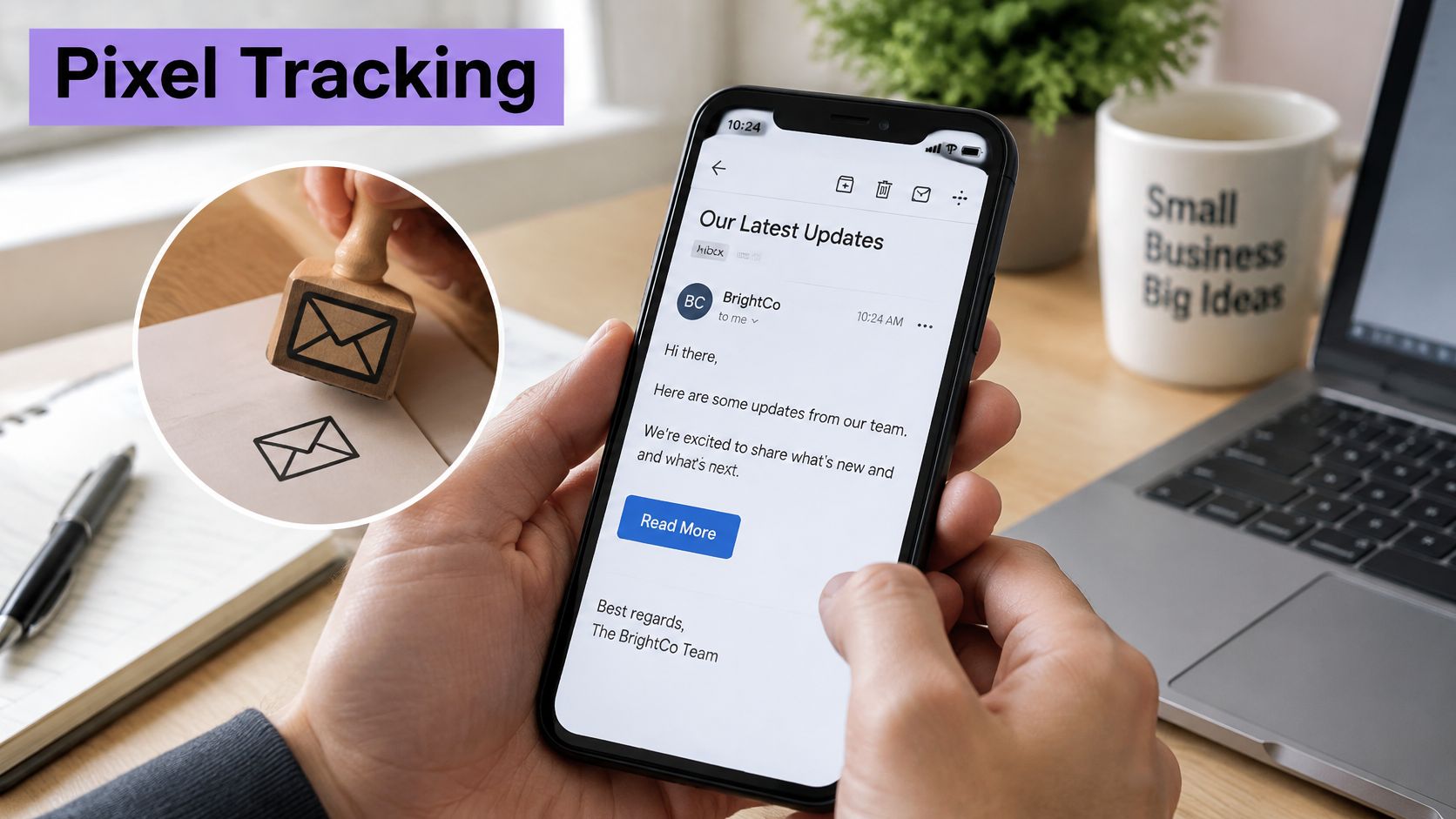
A visitor lands on your product page, scrolls past the hero image, and leaves without filling the form. Your analytics dashboard still shows the visit, the device type, and the approximate location. That record often begins with a tracking pixel.
A tracking pixel works like a return receipt for a web page or email. The page load is the envelope. The receipt is a tiny image request sent back to a server. In plain terms, the pixel is a 1-by-1-pixel, usually transparent image hosted on a remote server. The Freshfields summary of the CNIL guidance describes it as that tiny image embedded in a webpage or email, where the request for the image lets the server record that a page or message was accessed and may link it to an identifier. The picture itself has no value. The request is the measurement.
What that request can reveal
When the image loads, the server can note the page or message, the time, the device category, the referring page, and an approximate location inferred from the IP address. That is why businesses use pixels for three familiar jobs: measuring website traffic, linking an ad click to a sale, and checking whether an email reached readers.
That request is also where a consent decision lives. Before you paste the snippet, you decide whether the pixel can fire, when it can fire, and what identifier it may read. A pixel is not just a piece of code on a page. It is a small piece of consent architecture.
Don't confuse a pixel with a cookie. A cookie is stored on the visitor's device. A pixel is the call that lets the server log the visit and often read an existing cookie. In France, the CNIL has treated “invisible pixels” as regulated under Article 82 of the French Data Protection Act. Invisibility to the reader doesn't make the tracking invisible in legal terms.
How a Tracking Pixel Works Step by Step
Say a customer opens your newsletter on her phone over coffee. She reads the headline, closes the app, and says nothing. Later, your dashboard shows one more open. That count came from a short chain of events, most of them automatic.
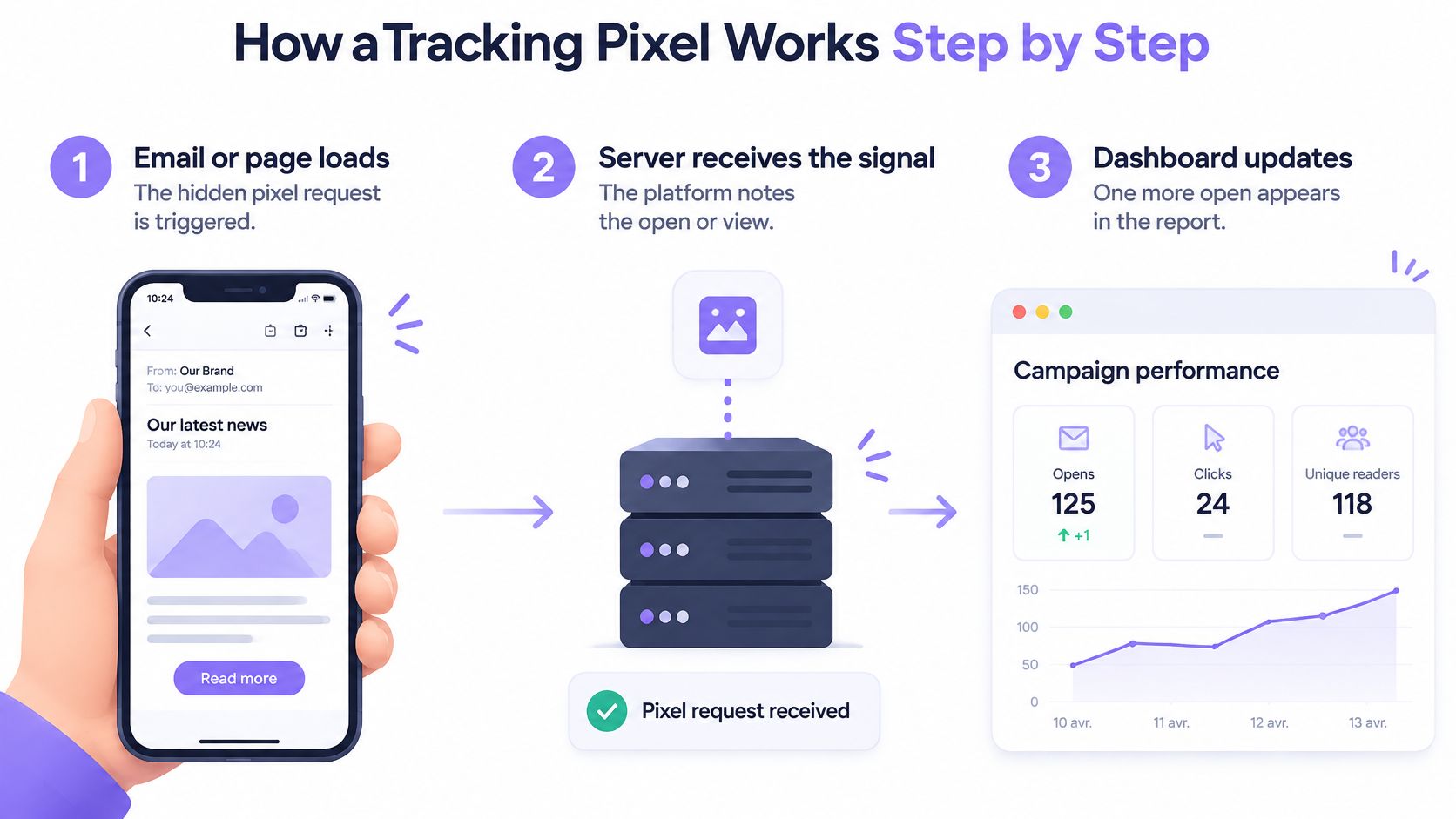
The six steps in order
- The page or email contains the address. An image tag points to a remote server, and its address includes an identifier for the campaign or page. That identifier is how events are later grouped correctly.
- The browser asks for the image. It makes the same kind of request it makes for any photograph. The reader doesn't click anything special.
- The server returns a transparent image. It is so small that nobody sees it. Cache-control headers often tell the device not to reuse an old copy, so a fresh view creates a fresh request.
- The request carries context. Along with it travel the IP address, browser user agent, referring URL, timestamp, and any cookie set earlier. This context turns a simple load into usable detail.
- The server stores the event. If an identifier exists, the event is linked to it. Without one, it may remain a simple count.
- The platform builds your report. It adds events into counts, sessions, and rates, so you see totals instead of raw requests.
Two slips distort the result. Ad blockers and privacy tools can stop the request, so a real visit leaves no trace. Some email clients preload images before a person reads anything, which inflates open counts. When a number looks odd, trace the chain and ask which step failed or fired twice.
Common Pixel Uses From Analytics to AI Visibility
One technique can serve very different goals. What changes is what you tie the request to, and what you do with the result. A pixel that counts visits for a bakery isn't doing the same job as one that builds an advertising audience.
| Use case | What it measures | Typical example |
|---|---|---|
| Website analytics | Page views, sessions and referrers | A local bakery sees visits coming from its Google Maps listing |
| Ad conversion attribution | Which ad click led to a form or purchase | A paid ad click leads to a thank-you page that fires the pixel |
| Retargeting audiences | Visitors who viewed a product or service page | A shopper who viewed running shoes sees those shoes in later ads |
| Email open measurement | Whether a recipient's client loaded the message image | A newsletter shows a campaign-level open rate |
| AI visibility analytics | Visits from AI assistants and answer engines | A real estate agency tracks referral visits from Perplexity and ChatGPT after publishing FAQ content |
| Deliverability telemetry | Whether messages load at all | A sender spots a drop in loaded images after a domain change |
Website analytics gives you a traffic baseline. Attribution links a paid click to a lead or sale, much as service firms connect roofing ad clicks to inspections instead of guessing which advert worked. Retargeting goes further, building audiences from pages people viewed. If you're weighing where advertising fits at all, our small business guide to online advertising puts those choices in context.
AI visibility analytics estimates visits arriving from AI assistants and answer engines. Wispra offers a tracking pixel for that purpose. It can show referrals and visit patterns, not the exact prompts people typed. That limit matters, because a referral tells you where a visit came from, not what the visitor asked.
Email open figures need the same restraint. They're trend signals rather than exact counts, since some clients preload images. The CNIL recommendation on email tracking pixels treats an email pixel as a tracking technology under Article 82 when it collects information about a recipient's interaction, with a narrow exception for data strictly limited to measuring deliverability rather than campaign performance. Use each pixel only for a goal you can name, because every extra purpose adds consent and maintenance work.
Consent Rules for Pixels in the EU and France
A campaign-wide open rate and a record showing that one named person opened a message at 9:14 on a phone in one town are very different things. Many owners assume a pixel is too small to matter. French law looks at what it does, not how it looks.
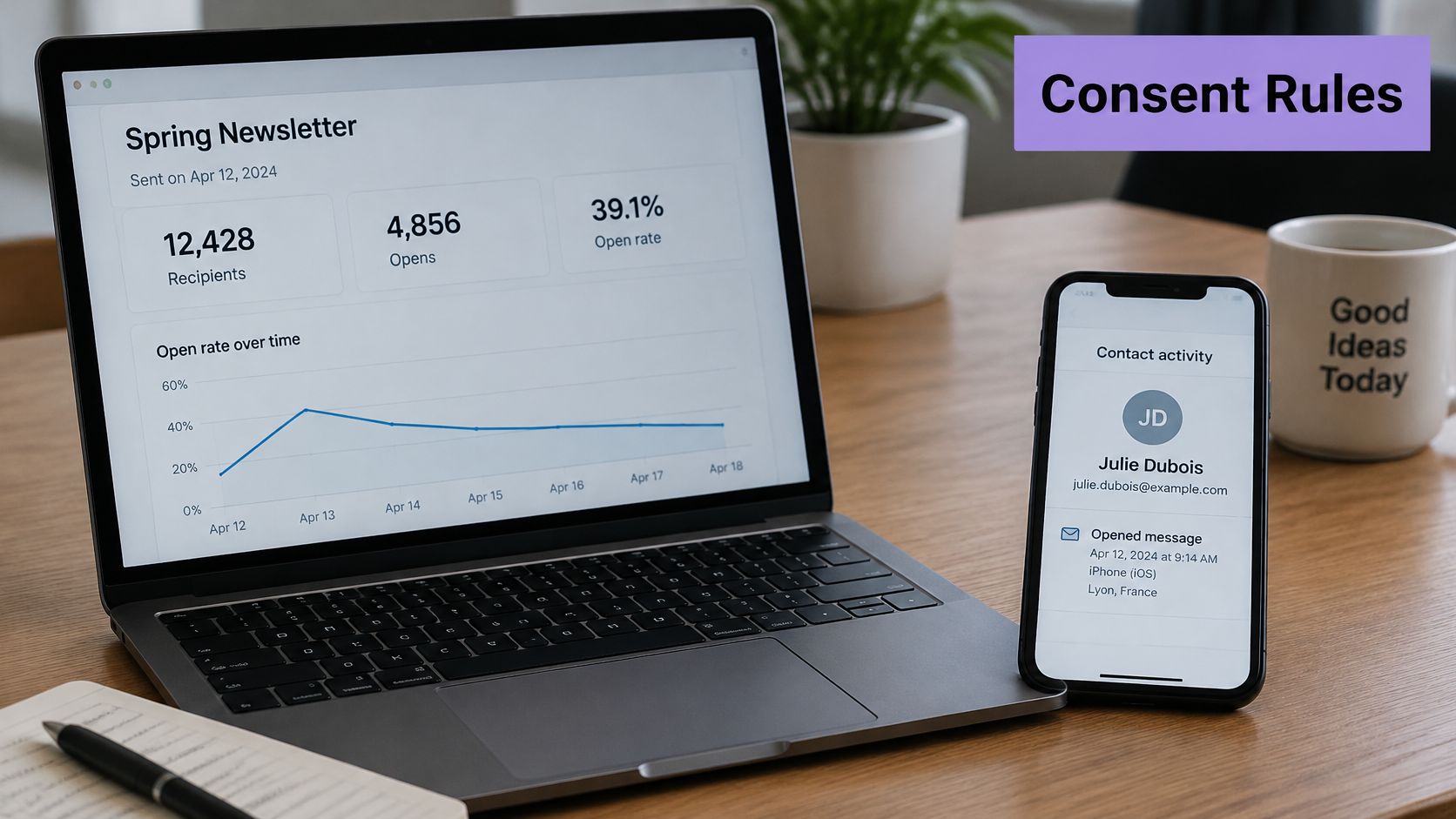
In France, Article 82 of the Data Protection Act covers access to information on a user's terminal. The Service Public summary of the CNIL position explains that an email pixel can reveal whether a message was opened, the opening date and time, the device category, and an approximate location inferred from the IP address, so email pixels generally require prior, free, specific, informed, and unambiguous consent. That logic applies whether or not the data collected is personal.
Where the boundary sits
| Pixel scenario | Consent generally required | Condition |
|---|---|---|
| Recipient-level email open record with date, device or location | Yes | Prior, free, specific, informed, unambiguous consent |
| Campaign-wide anonymous open rate from a non-differentiated pixel | Generally no | Anonymous aggregate only, no individual monitoring, messages requested by the user |
| Deliverability-only telemetry | Generally no | Strictly limited to measuring whether messages are delivered |
| Open-rate optimisation, personalisation or frequency changes | Yes | Purpose falls outside the statistical exception |
| Web analytics or ad pixel on a non-essential tag | Yes | Must not read or write device data before consent |
The narrow statistical path needs a non-differentiated pixel, identical for every recipient, used solely for anonymous, aggregated statistics on messages connected with a requested service. Deliverability-only measurement doesn't cover open-rate optimisation, personalisation, or sending more or less often.
The video below walks through how tracking choices appear to the person on the other side of the screen.
Keep evidence for each consent: the purpose, timestamp, choice made, and a working withdrawal option. Explain those purposes plainly where visitors can find them, as we do in our privacy policy. Anonymising data before collection doesn't remove the consent requirement, and privacy-friendly doesn't mean consent-free. Outside the EU, rules differ, so don't copy a setup from another country and assume it fits France.
How to Check Whether a Pixel Is Already on Your Site
Many small sites carry pixels nobody remembers adding. A plugin installed them, a theme bundled them, or a former agency left them in place. You can't manage consent for a tracker you don't know exists, so start with an inventory.
A simple audit you can run yourself
- Search the page source. Open View Source in your browser and look for image tags with width and height set to 1. Also search for script tags from advertising or analytics domains you don't recognise.
- Watch the Network tab. Open your browser developer tools, choose Network, reload the page, and filter by image or by the word pixel. You'll see which third-party servers receive calls from your page.
- Check platform settings. Look inside your shop platform, email platform, and tag manager. Many pixels are switched on by default, long before you touch any code.
- List what you find. For each pixel, note its owner, its purpose, and the pages it runs on. Mark anything with no owner for removal.
- Repeat after changes. Run the same check after every plugin update or redesign, because updates add and remove tags.
A request in your Network log is the same signal the tracking server receives. If you can see it there, collection is already happening.
Don't treat this as a one-off tidy-up. The finished list is a working document. It tells you which pixels need consent, which ones earn their place, and which ones you can delete without losing anything you use.
Implementation Options and Common Challenges
Most small businesses face the same choice. You can install code by hand, use a tag manager, rely on a platform's built-in pixel, or add a consent-gated loader. Each option trades effort against control.
| Option | Effort | Control | Best fit |
|---|---|---|---|
| Hand-coded image tag | High, needs developer time | Full control over URL and parameters | Custom-built websites |
| Tag manager container | Medium, one setup then rules | Triggers and conditions without redeploying | Sites running several tracking vendors |
| Built-in shop platform pixel | Low, a settings screen | Limited to the platform's events | Online shops on Shopify or WooCommerce |
| Email platform open tracking | Low, often on by default | Limited, can be switched off per campaign | Newsletter senders |
| Consent-gated loader | Medium, needs consent banner integration | Blocks firing until consent and stores the record | Sites serving French or EU visitors |
A tag manager suits sites juggling several vendors because you change rules in one place. Guides such as the one on TV campaign tracking with Google Tag Manager show how containers organise triggers without editing the site each time.
Where setups usually break
- Ad blockers remove the request. The visit happens, but no event reaches the server.
- Duplicate firing. Two plugins load the same pixel, so every sale counts twice.
- Firing before consent. The tag runs on page load instead of waiting for a choice.
- Slow pages. Too many scripts compete with the content your visitor came for.
- Lost events across domains. Checkout moves to another domain and the trail breaks.
For French traffic, the CNIL guidance on cookies and other trackers makes execution timing the key control, because the tracker must not read or write information on a device before required consent is obtained. A consent-gated loader withholds the request until affirmative consent, stores the record with purpose and timestamp, prevents fallback identifiers beforehand, and stops collection after withdrawal. Test it yourself: open a private window, decline consent, and confirm that no request reaches the tracking server.
Metrics to Monitor and What They Mean
A pixel is only as useful as the numbers you check against it. Start with the pixel fire rate, which is pixel loads divided by pages or emails served. Say it drops by more than 5 points over a week in your own records. A blocker, broken tag, or consent change is the likely cause, so investigate before you blame your campaign.
| Metric | Formula | Warning sign |
|---|---|---|
| Pixel fire rate | Pixel loads divided by pages or emails served | A drop of more than 5 points in a week |
| Attribution rate | Conversions with a recorded pixel source divided by total conversions | Share falling after a site or checkout change |
| Email open rate | Unique opens divided by delivered emails | Sudden jump without a change in content or list |
| Click-through rate | Unique clicks divided by delivered emails | Opens rising while clicks fall |
| Cost per lead | Ad spend divided by leads from pixel-tracked forms | Above the margin you can afford per customer |
| AI referral sessions | Sessions from AI assistant referrers divided by total sessions | Flat for three months after publishing new content |
Attribution rate shows whether conversions still carry their source. Pair it with cost per lead, and act when that cost rises above the margin you can afford per customer. Email opens are softer evidence. Compare campaigns with each other rather than with a fixed benchmark, and treat a sudden jump with no content or list change as likely preloading. Clicks are firmer. Opens rising while clicks fall points to a content problem, not a pixel problem.
AI referral sessions work as a trend line. A rise after you publish structured content suggests the investment is paying off. A flat line over three months in your dashboard means your content or listings need review. Our French guide on knowing your website traffic covers how to read those visit patterns.
Monthly routine: record fire rate, conversion attribution, and AI referral sessions. Three numbers, kept consistently, let you trace any change to a cause.
Other tracking methods raise similar questions about what a scan or click reveals, including the privacy risks of QR code tracking. The habit is the same: know what each signal collects before you trust the number it produces.
Best Practices and Pre-Launch Checks for Small Businesses
Say you run a bakery, a clinic, or a two-person agency. You don't have a compliance team, and you don't need one to handle pixels sensibly. You need a short list, a named owner, and the discipline to remove what you don't use.
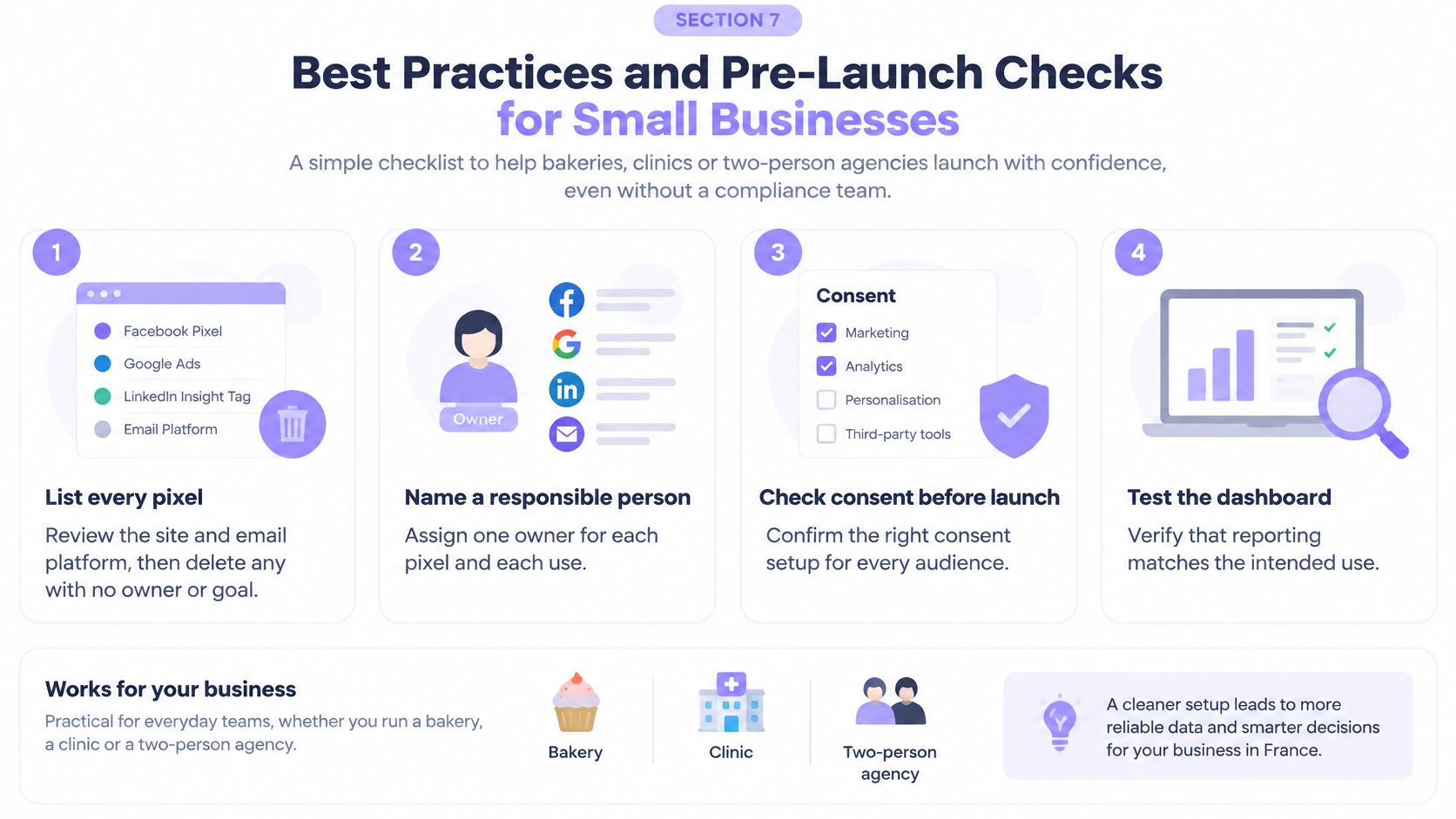
Seven checks before anything goes live
- List every pixel. Cover the site and the email platform, then delete any pixel with no owner or goal.
- Name each purpose. Write it in your privacy notice in plain language a customer would understand.
- Ask before firing. Put the consent request before any non-essential pixel runs, and make withdrawal as easy as acceptance.
- Set a retention period. Choose a period you can state for stored events, delete older data, and check current CNIL guidance. Cookie lifespan figures aren't automatically your event retention period.
- Prefer aggregated measurement. Use non-differentiated, campaign-level counting wherever it answers your question.
- Review monthly. Remove any pixel that hasn't informed a decision in six months.
- Test before launch. Confirm that no non-essential request fires before consent, that the consent record works, that withdrawal works, and that every pixel has a named purpose.
One distinction catches people out. The CNIL draft recommendation on tracking pixels states that Article 82 applies whether the data collected is personal or non-personal, and that anonymising data before collection doesn't by itself remove the prior-consent requirement. Once data is collected lawfully, effective anonymisation or aggregation can permit reuse for global statistics without new consent. That's different from reusing raw recipient-level records, and the anonymisation process itself remains subject to GDPR obligations. If you can't name a pixel's goal, consent basis, and retention period, don't launch it yet.
If you want to know whether AI assistants are sending visitors your way, start with a free report before adding anything new to your site. Wispra helps you measure that visibility and act on it, so visit us to see how your business appears in AI answers today.